Artistic Expression in Procreate
Digital Art for Beginners: Exploring the Procreate App
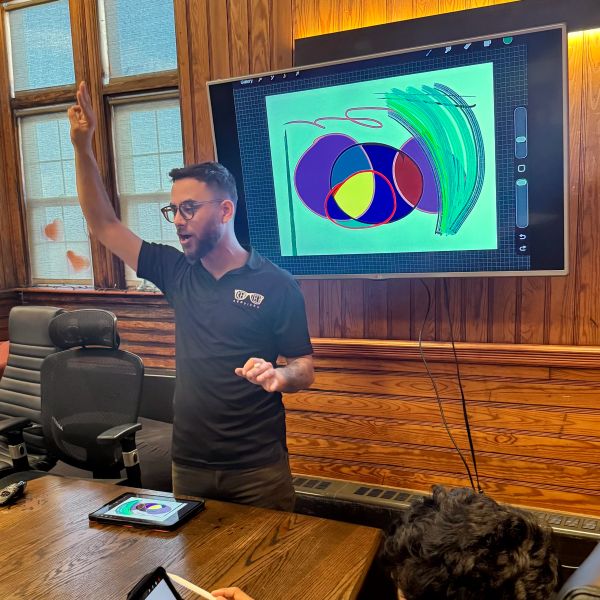
In this class, we cover the basics of creating art in Procreate, the most popular digital art app for the iPad. We explore different brushes with unique effects, learn to mix and blend colors, and use layers to trace our own pictures.
Digital Art for Beginners: Working with Symmetry & Color
This class covers techniques for creating intricate symmetrical designs in Procreate. We explore using symmetry settings, unique screen gestures in Procreate, and experimenting with color in our artwork.
Digital Art for Beginners: Drawing Creatures and Critters
Procreate makes it simple to use a reference picture to guide our art. In this class, we learn to find reference photos and import them into our artwork. We practice drawing our favorite animals, then design our own unique creatures.
Digital Art for Beginners: Turning Names to Art
This class covers how to use Procreate to explore fonts, styles, and techniques for drawing words and names in colorful, creative ways. Participants learn to draw in 3D, use basic calligraphy techniques, and find complementary colors.
Digital Art for Beginners: Animation Made Simple
This class dives into Procreate’s built-in animation tools. We learn the basics of how animation works, then create our own animation by drawing frame by frame.
Digital Art for Beginners: Drawing from Observation
This class explores ways to approach observational drawing and Procreate features that help us sketch what we see. We explore using layers to build our drawings, using different sketching brushes, and breaking things down into simple shapes.
Our Work




Contact Us:
Kevin Figueroa
Phone: (978) 394-5609
Email: Kevin@KevTechServices.net
Gus Dantas
Phone: (617) 388-0488
Email: Gus@KevTechServices.net
Danna Guerrero
Phone: (978) 274-8244
Email: Danna@KevTechServices.net
KevTech Services, Inc.
Copyright © 2025 KevTech Services - All Rights Reserved.
What are "cookies?"
Cookies are used to improve our website through analytics. By accepting our use of cookies, you consent to anonymous data being used to inform us about what works (like which pages are more frequently visited) and what doesn't. Cookies do not allow access to your personal files or private information.